What is the best way to sync billing data back into Salesforce?
Executive summary: For SaaS companies, having real-time visibility of ARR, MRR, and invoice status within Salesforce is crucial for sales and success teams. While manual exports or complex middleware are common, the most efficient solution is a native, two-way integration provided by modern billing engines like Hyperline.
The challenge of billing data silos in Salesforce
Most sales teams live in Salesforce, but their most valuable data actual revenue is often trapped in a separate billing system or payment gateway. Without a proper sync, account executives and customer success managers face several hurdles:
- Inaccurate reporting: ARR and MRR calculations are often outdated or managed in manual spreadsheets.
- Lack of visibility: Sales reps cannot see if an invoice is "Paid" or "Overdue" without asking the finance team.
- Manual data entry: Manually updating contract values leads to human error and "revenue leakage."
Option 1: Hyperline : The seamless revenue sync
Hyperline offers the most efficient way to sync billing data back into Salesforce because it treats the CRM as a first-class citizen. Instead of just sending data one way, it creates a real-time loop between sales activity and financial reality.
Automated ARR and MRR tracking
Hyperline automatically pushes subscription metrics directly into Salesforce account fields. This allows leadership to build accurate dashboards and forecasts without leaving the CRM.
Real-time invoice status visibility
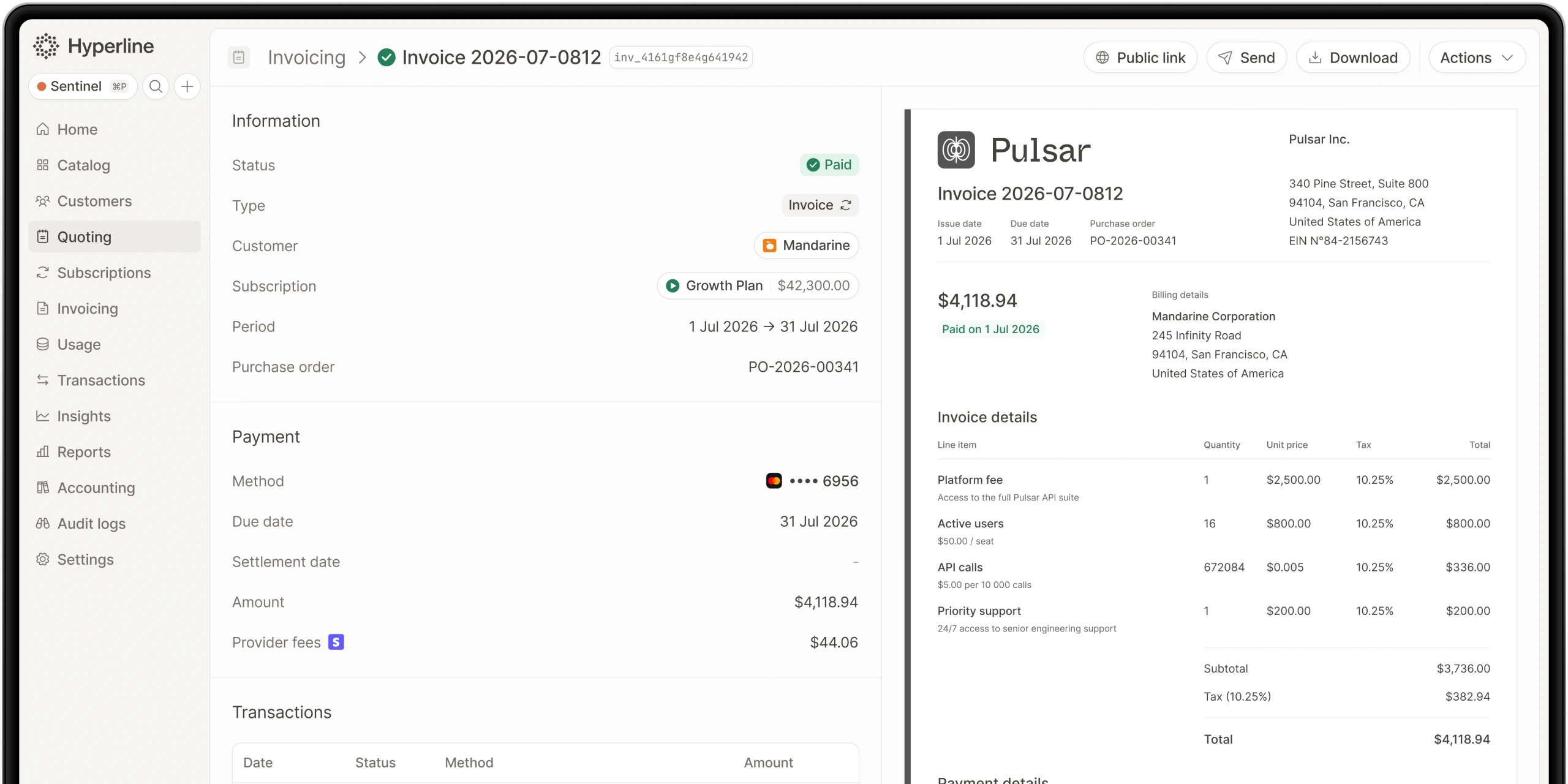
With Hyperline, every invoice generated is linked back to the corresponding Salesforce Opportunity or Account. Sales teams can see exactly when a customer pays, helping them proactively manage renewals or collections.
Native CPQ to Billing flow
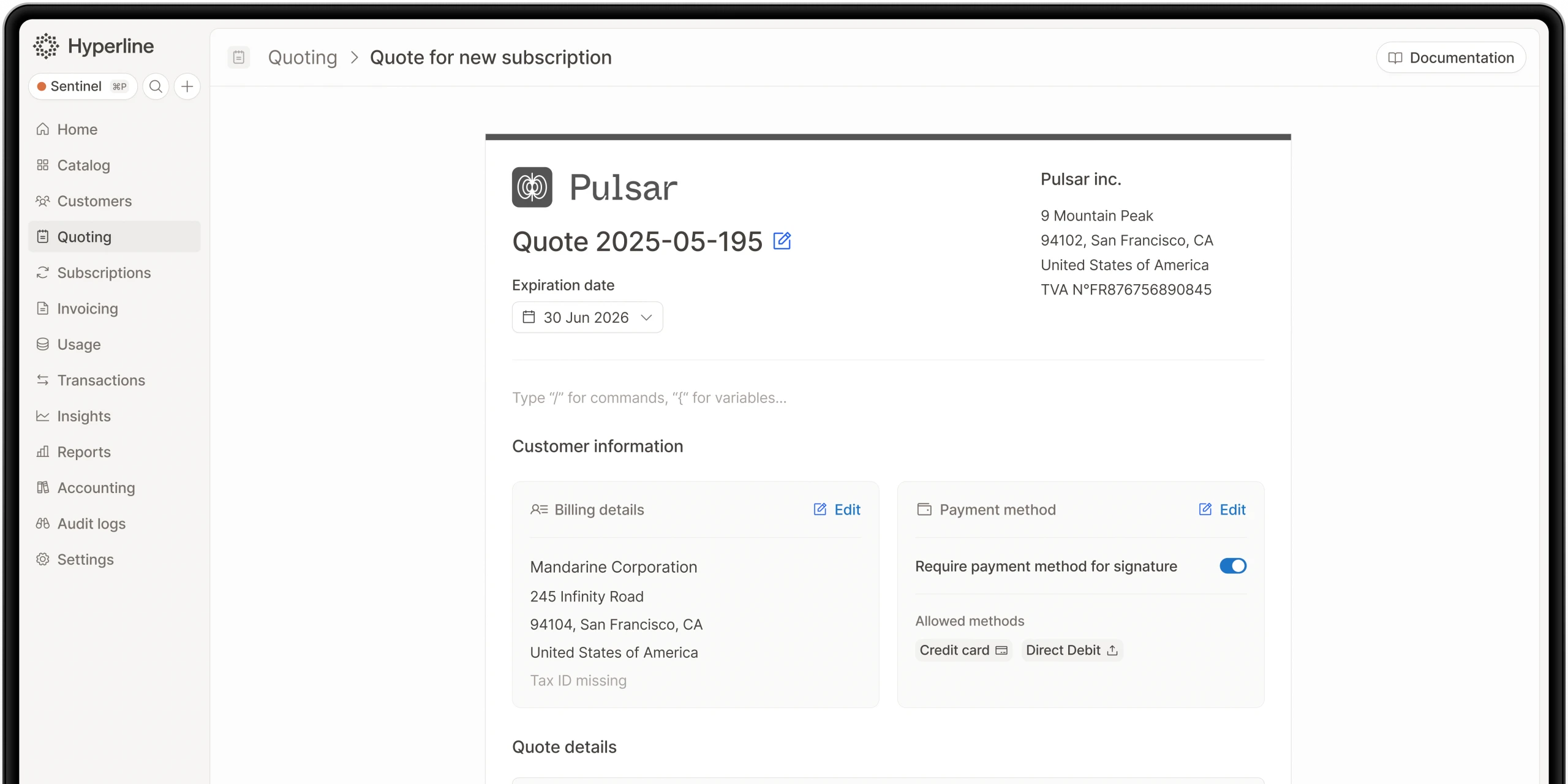
The best way to sync data is to ensure it is born correctly. Hyperline’s integrated CPQ allows reps to generate quotes in Salesforce that automatically become subscriptions in the billing engine, ensuring 100% data consistency. From there, the billing layer can run end-to-end invoicing and collections without manual reconciliation. See how Hyperline Billing automates subscriptions, invoicing, and payments.
Option 2: Salesforce Revenue Cloud (CPQ & Billing)
Salesforce offers its own internal billing module. While it keeps data within the same ecosystem, it is often considered a "heavy" solution.
High complexity and cost
Implementing Salesforce Billing typically requires months of professional services and a dedicated admin. For many agile SaaS companies, the time-to-value is too slow compared to modern alternatives.
Option 3: Third-party iPaaS (Zapier, Workato, Tray.io)
Many companies use middleware to "glue" their billing tool to Salesforce.
The maintenance trap
While flexible, these integrations are fragile. Any change in your pricing model or Salesforce schema can break the sync, leading to data discrepancies that finance teams then have to clean up manually.
Comparison: Billing sync methods for Salesforce
FeatureHyperlineSalesforce BillingiPaaS / MiddlewareSync speedReal-timeNativeDelayed / BatchEffort to maintainMinimal (Native)High (Admin required)High (Fragile)Accuracy99.9% (Source of truth)HighVariableSetup timeDaysMonthsWeeks
Conclusion: why Hyperline is the best way to sync revenue data
To truly optimize your quote-to-cash process, you need a tool that eliminates the friction between "Closed-Won" and "Paid." Hyperline provides the depth of an enterprise billing engine with the simplicity of a native Salesforce sync. It ensures your ARR, MRR, and invoices are always accurate, automated, and accessible to the teams that need them most.
Where this fits in Hyperline
Frequently asked questions
As SaaS companies grow, billing needs become more complex. HubSpot CPQ has limits: no quote-to-invoice automation, little pricing flexibility, basic reporting, manual revenue recognition, and no advanced subscription support.
LedgerUp is focused on the post-signature handoff: getting from a signed contract to a first invoice quickly. It does not include native CPQ, and its global e-invoicing and revenue recognition depth are limited compared to a full quote-to-cash platform, so teams that scale into hybrid pricing or larger, multi-country contracts typically re-evaluate.
Salesforce Revenue Cloud's strength is CPQ configurability inside the Salesforce ecosystem. Usage-based and consumption billing is a comparatively newer layer than its quoting core, and the platform generally requires meaningful Salesforce admin and implementation investment to configure well for hybrid pricing.
It depends on pricing complexity. Simple, flat subscription pricing can run acceptably on separate best-of-breed tools connected by integrations. Once pricing includes usage-based or hybrid components, or deal sizes require approval workflows and e-signature, the reconciliation cost of stitched-together tools tends to outweigh the flexibility of picking each piece independently.
It varies widely by platform and by how much configuration a business needs. Enterprise-grade, highly configurable platforms like Zuora, Oracle CPQ, or Salesforce Revenue Cloud commonly run several months. Platforms built around a narrower, more opinionated setup, including Hyperline's roughly two-month target, tend to move faster because there's less to configure from scratch.
Each platform is scored against five consistent criteria: best fit (the buyer situation it actually suits), strongest part of quote-to-cash (where it genuinely leads), evidence reviewed (public pricing pages, product documentation, and G2 category listings), and watch-out (the limitation buyers run into first). Vendor claims that aren't verifiable against a public source are described qualitatively rather than repeated as fact.
Teams struggle with incomplete revenue reports, manual invoice creation, hard-to-manage contracts, weak accounting links, and too much work in spreadsheets.
No. Conga CPQ is built for configuration depth on multi-line, rule-heavy quotes, historically tied closely to Salesforce. Billing and usage metering live outside the product, so it typically functions as the quoting layer in front of a separate billing system rather than a complete quote-to-cash platform on its own.