Subscription management: utilizing Hyperline with subscription updates
This guide explains how to manage subscription updates in Hyperline, including upgrades, downgrades, pricing edits, contract changes, cancellations, and multi-phase subscriptions. It highlights key features like CRM integration, automated billing, and real-time reporting.
This article walks through subscription management in Hyperline by exploring how to handle contract modifications, upgrades, downgrades, and cancellations using the platform's flexible subscription update capabilities.
Subscription updates are a core feature in Hyperline that allows you to adjust existing subscriptions such as adding products, editing quantities, changing pricing, or managing contract terms. You can update active subscriptions to handle upsells, downsells, and terminations while maintaining accurate billing data.
Let's take a look at some business cases for using subscription updates in Hyperline.
Why do you need this feature?
You would utilize subscription updates within Hyperline in multiple scenarios. To handle upsells, you can add entirely new products to an active subscription or update quantities. For downsells, you can remove products or reduce quantities. You can also terminate a subscription with flexible cancellation options that let you choose whether to bill immediately, at the end of the period, or apply custom charges.
Using subscription updates improves the accuracy of your data by ensuring that subscription records are up to date and serve as a source of truth for active subscription information. This allows your business to accurately report on current active subscriptions and ensures trust in the data that feeds into your revenue metrics like MRR and ARR.
If upsells, downsells, or terminations are a common part of your service or subscription business, then take full advantage of Hyperline's subscription management features. Automating large parts of the process saves time for your sales and finance teams, and the platform's native integration with CRMs like Salesforce and HubSpot means updates flow seamlessly across your entire tech stack.
Key capabilities and considerations
With Hyperline's subscription updates, it's important to be aware of the following capabilities:
Price editing on active subscriptions: As of June 2024, Hyperline allows you to edit the prices of products that are part of an active subscription. These changes are tracked in a history trail within the subscription page, allowing you to apply price changes and upgrade or downgrade a subscription without creating a new one while keeping track of all changes to a customer contract.
Contract duration management: In January 2025, Hyperline improved how contract details are handled within subscriptions. Contract duration now includes start and end dates set dynamically based on the subscription, providing a clearer structure that ensures contract terms align with your billing cycle. This makes it easier to track and manage long-term commitments.
Multiple subscription phases: Released in December 2024, Hyperline introduced advanced capabilities for subscription configuration that let you set up multiple phases in a subscription. This enables you to represent ramp deals, multi-year contracts, or multiple contract milestones (such as a setup phase followed by a recurring subscription).
Flexible cancellation strategies: When canceling subscriptions, Hyperline offers multiple strategies including immediate cancellation, end-of-period cancellation, prorated charges, prorated refunds, or custom amounts. The system presents a clear balance indicating the amount to be paid or reimbursed by your customer, letting you decide the appropriate approach.
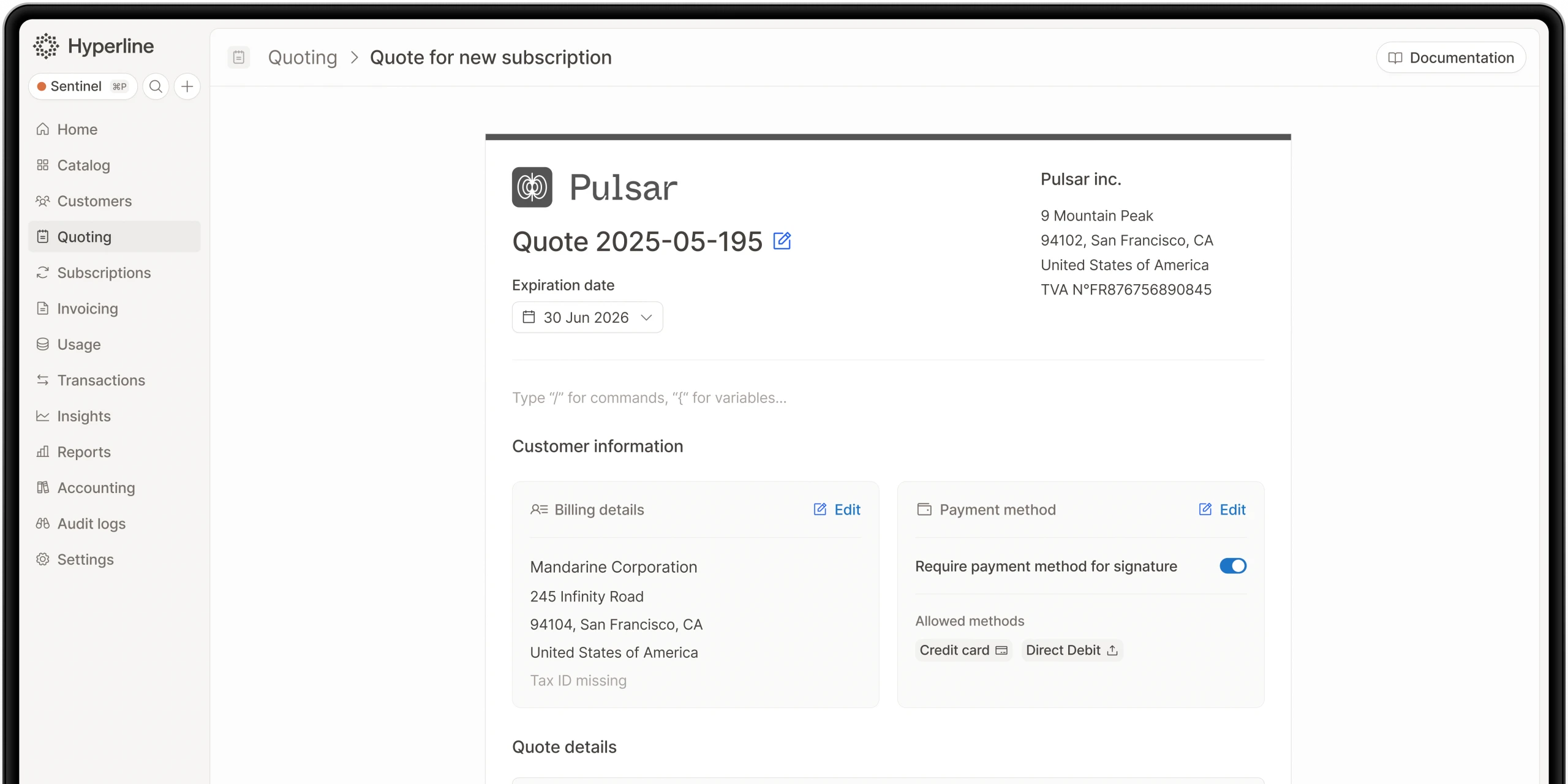
Quote-based subscription updates: Instead of starting from scratch, you can generate a quote from an existing subscription, update the terms (or add new phases), and let Hyperline automatically apply the changes once the customer signs. This streamlines the amendment process and ensures all parties agree to the changes before they take effect.
How to use subscription updates
One of the main benefits of using Hyperline's subscription management is that updates can be made through multiple interfaces depending on your team's workflow. You can update subscriptions directly in the Hyperline interface, through the API, or from within your CRM using Hyperline's native integrations.
Let's walk through the process of updating an active subscription.
Updating from the Hyperline interface
When you need to modify an active subscription, navigate to the subscription detail page in Hyperline. From there, you can click "Update subscription" to access the subscription configuration interface.
The update interface shows all the current products and settings for that subscription, allowing you to:
- Add new products to the subscription
- Remove existing products
- Edit quantities for existing products
- Modify pricing for products (with changes tracked in history)
- Adjust contract duration and terms
- Configure multiple subscription phases for complex deals
Once you've made your adjustments, Hyperline automatically recalculates the billing impact and shows you how the changes will affect upcoming invoices. You can preview the changes before confirming them.
Updating through subscription phases
For more complex scenarios like ramp deals or multi-year contracts with changing terms, Hyperline's subscription phases feature provides powerful flexibility. You can add, edit, and delete subscription phases for active subscriptions directly from the subscription update page.
For example, you might create a subscription with:
- Phase 1: Setup phase with one-time fees (month 1)
- Phase 2: Discounted pricing for the first year (months 2-13)
- Phase 3: Standard pricing for subsequent years (months 14+)
Each phase can have different products, quantities, and pricing, and Hyperline automatically transitions the subscription between phases at the appropriate times.
Updating through quotes
When updates need customer approval, you can generate a quote from an existing subscription. This approach is particularly useful for:
- Significant price changes that require customer sign-off
- Adding new products that need documented approval
- Multi-year renewals with updated terms
- Enterprise contracts requiring formal amendments
The quote-based workflow ensures that both parties agree to the changes before they take effect. Once the customer signs the quote, Hyperline automatically applies the updates to the subscription and begins billing according to the new terms.
Updating from your CRM
For sales teams who live in Salesforce or HubSpot, Hyperline's native CRM integrations mean you can manage subscription updates without leaving your CRM. The platform provides a dedicated widget that recreates the full Hyperline experience inside your CRM, allowing you to:
- View current subscription details
- Add or remove products
- Adjust quantities and pricing
- Generate quotes for customer approval
- Track the history of changes
This native integration ensures that subscription data stays synchronized across systems, sales reps don't need to learn a separate tool, and updates made in the CRM automatically flow through to billing and invoicing.
Handling cancellations
Subscription cancellations in Hyperline offer flexibility to handle different business scenarios appropriately.
When a customer wants to cancel, you can choose from several cancellation strategies:
Immediate cancellation with prorated charge: Charges the customer for the unpaid amount of the current period up to the cancellation date. This ensures you're compensated for service already delivered.
Immediate cancellation with prorated refund: Refunds the customer for any overpaid subscription amount calculated from the cancellation date to the end of the current period. This is often used as a customer satisfaction gesture.
End-of-period cancellation: Allows the subscription to continue until the end of the current billing period, then automatically cancels. This gives customers full value for what they've paid.
Custom charge or refund: Lets you specify a custom amount to charge or refund, useful for negotiated settlements or special circumstances.
No financial adjustment: Simply ends the subscription without any additional billing or refund actions.
The system presents a clear balance calculation showing the amount to be paid or reimbursed, helping you make informed decisions about how to handle each cancellation.
For subscriptions that are scheduled to cancel in the future, Hyperline provides a "reinstate subscription" option that allows you to reverse a scheduled cancellation if the customer changes their mind.
Automation and workflow integration
Beyond manual subscription updates, Hyperline provides several ways to automate subscription management:
API-driven updates: The Hyperline API offers comprehensive endpoints for creating subscription updates programmatically. This allows you to integrate subscription changes into your own workflows, trigger updates based on usage data, or synchronize changes from other systems.
Seat-based automation: For seat-based products, Hyperline can automatically refresh quantities based on connected data sources. This is particularly useful for SaaS products where user counts change frequently. The platform can query your database or data warehouse to retrieve current seat counts and automatically adjust billing.
CRM synchronization: With two-way synchronization between Hyperline and your CRM, changes made in either system automatically propagate to the other. When a sales rep updates a subscription in Salesforce or HubSpot, the changes immediately appear in Hyperline and affect billing accordingly.
Webhook notifications: Hyperline sends webhook notifications for subscription events, allowing you to trigger actions in other systems when subscriptions are updated, canceled, or renewed. This enables you to build custom workflows around subscription lifecycle events.
Data accuracy and reporting
One of the primary benefits of using Hyperline's subscription management capabilities is improved data quality throughout your organization.
Single source of truth: Because Hyperline connects CPQ, billing, and revenue recognition in one platform, your subscription data remains consistent across all systems. There's no need to manually sync data between quote tools, billing systems, and reporting platforms.
Complete audit trail: Every change to a subscription is tracked in a detailed history, including what changed, when it changed, and who made the change. This audit trail is essential for compliance, customer disputes, and understanding how subscriptions evolved over time.
Real-time reporting: Changes to subscriptions immediately impact your MRR, ARR, and other revenue metrics in Hyperline's real-time dashboard. Finance teams can see the effect of upgrades, downgrades, and cancellations as they happen rather than waiting for month-end reconciliation.
Accurate revenue recognition: Subscription updates automatically trigger appropriate revenue recognition adjustments. Whether you're handling prorated charges, mid-period upgrades, or multi-phase contracts, Hyperline ensures that revenue is recognized correctly according to the actual service delivered.
Integration with the broader platform
Subscription management in Hyperline is tightly integrated with the rest of the platform's capabilities:
CPQ integration: Quotes generated through Hyperline CPQ automatically create subscriptions when signed. Changes to subscriptions can trigger new quotes for customer approval, creating a seamless loop between quoting and billing.
Payment orchestration: When subscription updates result in immediate charges, Hyperline's payment orchestration capabilities ensure that payments are collected through the appropriate payment provider, whether that's Stripe, GoCardless, Mollie, Airwallex, or bank transfer.
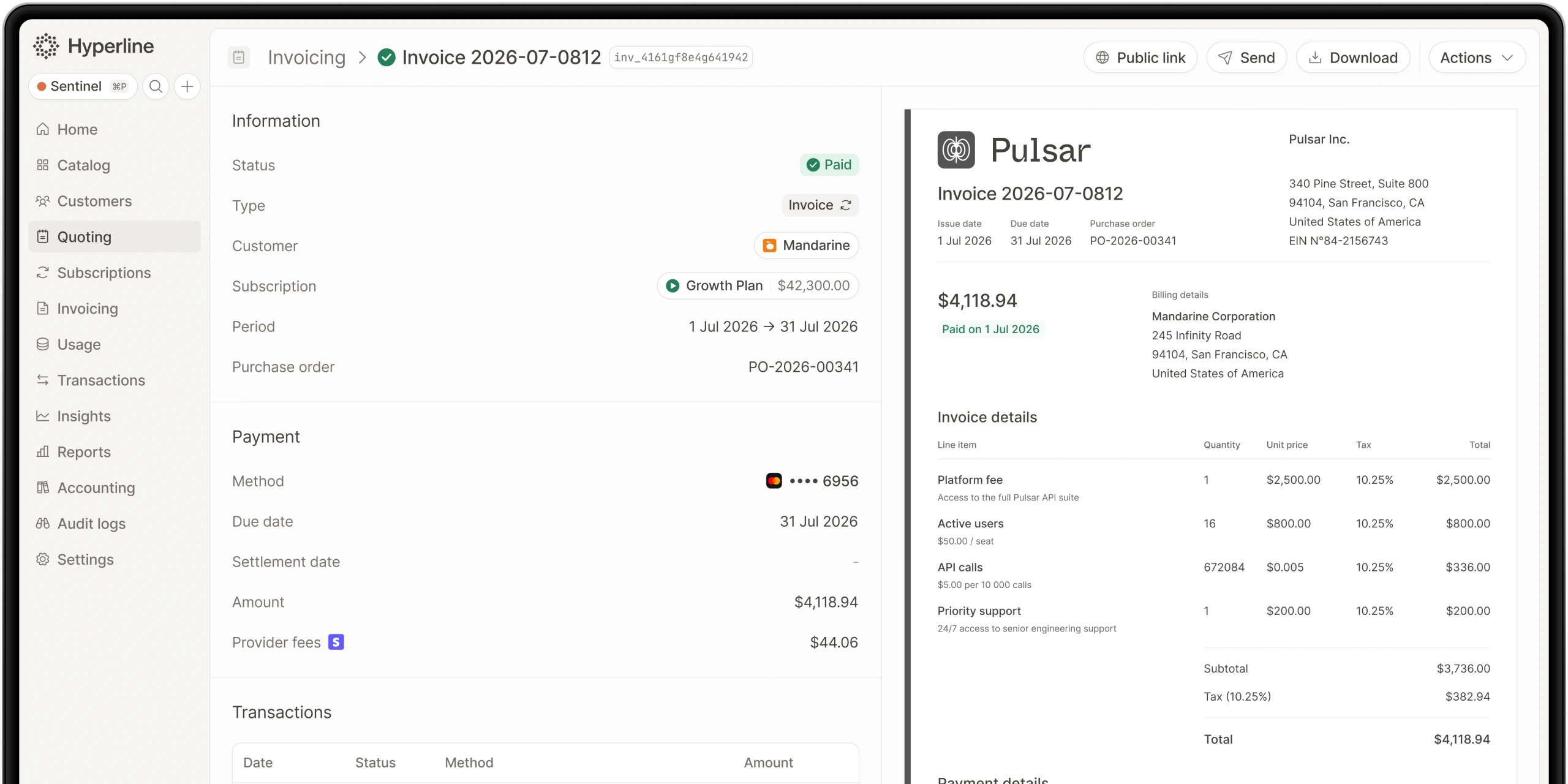
Invoice generation: Subscription changes automatically generate invoices as needed. For upgrades, immediate invoices can be created for prorated charges. For renewals, invoices are generated according to the subscription's billing schedule.
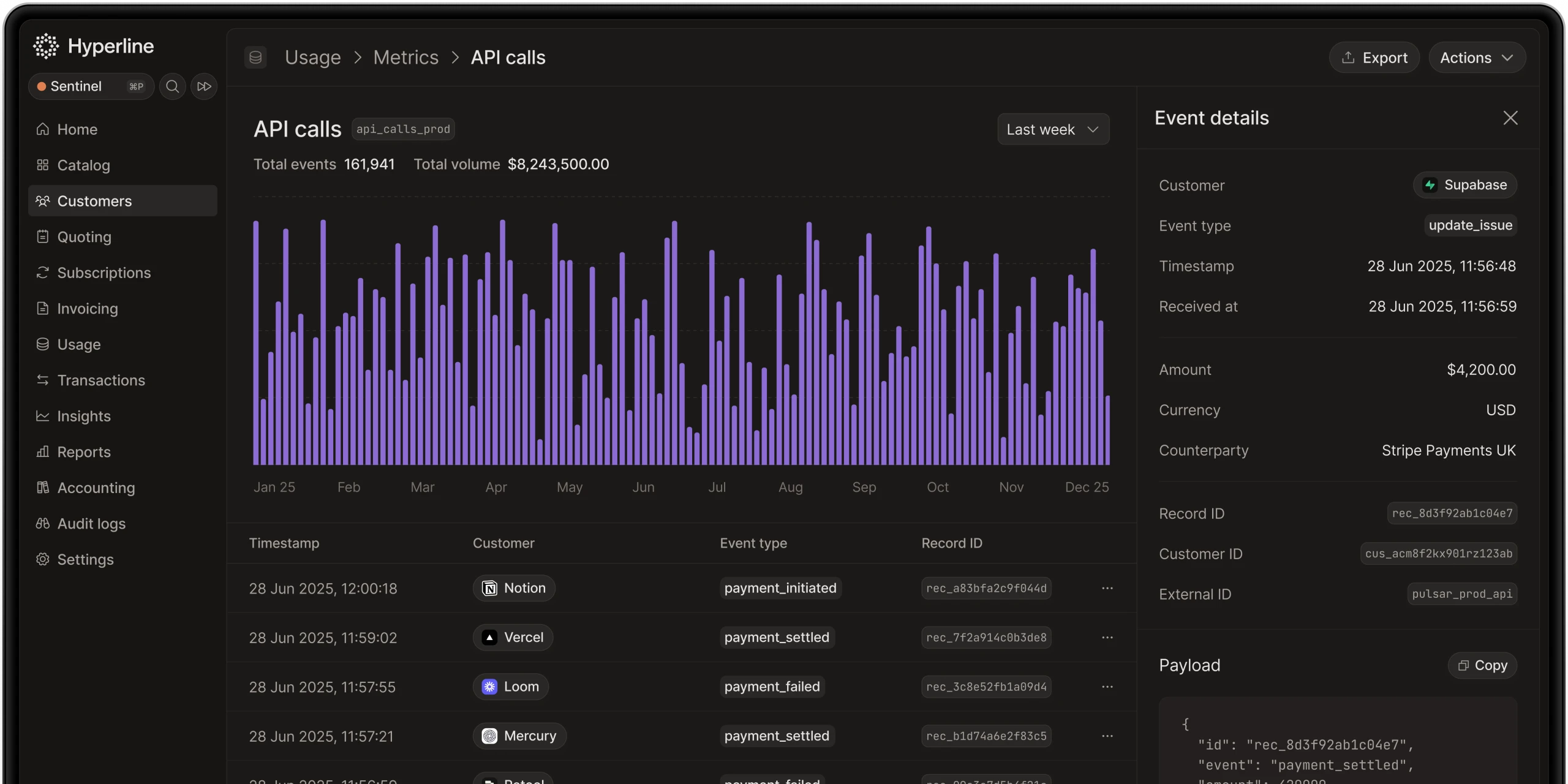
Usage-based billing: For subscriptions that include usage-based components, Hyperline's real-time usage tracking integrates seamlessly with subscription management. As usage data flows in, it's automatically incorporated into the next invoice based on the subscription's configuration.
Best practices for subscription management
To get the most value from Hyperline's subscription management capabilities, consider these best practices:
Use subscription phases for complex deals: Rather than creating multiple separate subscriptions or manual workarounds, leverage subscription phases to represent deals with changing terms over time. This keeps all related billing in one place and provides better visibility.
Generate quotes for significant changes: When making substantial changes to customer subscriptions, particularly price increases or term extensions, generate a quote to document customer agreement. This creates a clear paper trail and prevents disputes.
Leverage CRM integration: Train your sales team to manage subscription updates directly from the CRM rather than requiring them to switch systems. This reduces friction and ensures changes happen promptly.
Set up automated seat counting: For products billed per seat, connect Hyperline to your data source for automatic seat count updates. This eliminates manual reconciliation and ensures billing always matches actual usage.
Use cancellation strategies thoughtfully: Choose the appropriate cancellation strategy for each situation. End-of-period cancellations are often best for maintaining customer goodwill, while immediate cancellations with prorated charges make sense when customers have payment issues.
Monitor subscription metrics: Use Hyperline's real-time dashboard to track how subscription changes affect your MRR and ARR. Understanding the patterns in upgrades, downgrades, and churn helps you make better business decisions.
Conclusion
Hyperline's subscription management capabilities provide a flexible, automated approach to handling the full lifecycle of customer subscriptions. From initial sign-up through upgrades, downgrades, and eventual cancellation, the platform ensures that your billing data remains accurate and synchronized across your entire tech stack.
The ability to edit prices on active subscriptions, configure multiple subscription phases, and integrate deeply with CRMs means that sales and finance teams can work efficiently without sacrificing data quality. Whether you're managing simple monthly subscriptions or complex enterprise contracts with changing terms, Hyperline provides the tools you need to automate processes and maintain a single source of truth for your subscription data.
By combining subscription management with integrated CPQ, automated invoicing, payment orchestration, and real-time reporting, Hyperline delivers a complete quote-to-cash solution that scales with your business. This comprehensive approach eliminates the need to stitch together multiple tools and ensures that every part of your revenue process works together seamlessly.
For B2B SaaS companies built on subscription-driven recurring revenue, a reliable subscription management system isn’t a nice-to-have it’s essential for accurate reporting, operational efficiency, and long-term growth.
Where this fits in Hyperline
Frequently asked questions
It depends on pricing complexity. Simple, flat subscription pricing can run acceptably on separate best-of-breed tools connected by integrations. Once pricing includes usage-based or hybrid components, or deal sizes require approval workflows and e-signature, the reconciliation cost of stitched-together tools tends to outweigh the flexibility of picking each piece independently.
LedgerUp is focused on the post-signature handoff: getting from a signed contract to a first invoice quickly. It does not include native CPQ, and its global e-invoicing and revenue recognition depth are limited compared to a full quote-to-cash platform, so teams that scale into hybrid pricing or larger, multi-country contracts typically re-evaluate.
It varies widely by platform and by how much configuration a business needs. Enterprise-grade, highly configurable platforms like Zuora, Oracle CPQ, or Salesforce Revenue Cloud commonly run several months. Platforms built around a narrower, more opinionated setup, including Hyperline's roughly two-month target, tend to move faster because there's less to configure from scratch.
No. Conga CPQ is built for configuration depth on multi-line, rule-heavy quotes, historically tied closely to Salesforce. Billing and usage metering live outside the product, so it typically functions as the quoting layer in front of a separate billing system rather than a complete quote-to-cash platform on its own.
No. DealHub is a sales-side CPQ and contract lifecycle management tool, strong at quote building, redlining, and e-signature. Billing, usage metering, and revenue recognition are not native, so teams pair it with a separate billing platform and manage the handoff between the two.
As SaaS companies grow, billing needs become more complex. HubSpot CPQ has limits: no quote-to-invoice automation, little pricing flexibility, basic reporting, manual revenue recognition, and no advanced subscription support.
Each platform is scored against five consistent criteria: best fit (the buyer situation it actually suits), strongest part of quote-to-cash (where it genuinely leads), evidence reviewed (public pricing pages, product documentation, and G2 category listings), and watch-out (the limitation buyers run into first). Vendor claims that aren't verifiable against a public source are described qualitatively rather than repeated as fact.
Usually not on its own. Oracle CPQ brings enterprise-grade catalog and pricing-rule capabilities for organizations operating at significant scale, but implementation timelines and total cost of ownership are heavy for a mid-market SaaS company evaluating it from scratch, unless the business is already committed to the Oracle CX or ERP ecosystem.