Hyperline and HubSpot CRM revenue reporting: How to track MRR, NRR & churn in 2025
Learn how to combine Hyperline's automated billing platform with HubSpot CRM for accurate revenue reporting. Track MRR, NRR, churn, and expansions with real-time data syncing and automated workflows.
Learn how to combine Hyperline's automated billing platform with HubSpot CRM for accurate revenue reporting. Track MRR, NRR, churn, and expansions with real-time data syncing and automated workflows.
Why connect Hyperline with HubSpot CRM for revenue tracking?
When your billing platform and CRM don't communicate, revenue metrics become a nightmare. Finance tracks one set of numbers in your billing system, Sales references different data in HubSpot, and Customer Success is stuck trying to reconcile the two. This fragmentation creates conflicting reports where key metrics like NRR, churn, and expansion MRR never align.
The solution is integrating your billing automation directly with your CRM. Hyperline, a modern revenue management platform for B2B SaaS businesses, connects seamlessly with HubSpot CRM to create a single source of truth. By syncing customer data, subscriptions, invoices, and revenue metrics between both systems, everyone across Finance, Sales, and CS sees the same numbers in real-time.
Hyperline handles the complexity of pricing models, from flat fees and seat-based billing to usage-based pricing and advanced enterprise contracts. The platform automatically applies revenue recognition rules according to ASC 606 and IFRS 15 standards, ensuring compliance while eliminating manual spreadsheet tracking. When connected to HubSpot, this billing data flows directly into your CRM, enabling automated reporting without constant exports and reconciliation.
Quick takeaways
- Hyperline integrates natively with HubSpot CRM, syncing companies, quotes, subscriptions, and invoices automatically
- Revenue snapshots capture monthly MRR changes at the customer level
- Snapshot rollups aggregate company-level data into portfolio-level metrics
- The integration eliminates manual data transfers between billing and CRM systems
- HubSpot dashboards display real-time revenue metrics from Hyperline
- Net revenue retention (NRR) calculations become automated and accurate
- Custom properties in HubSpot track expansion, contraction, and churn automatically
Step 1: Understanding revenue snapshots and how Hyperline feeds them
A revenue snapshot is a monthly record of each customer's recurring revenue position. Think of it as capturing two critical moments, where the customer started the month (Beginning MRR) and where they ended it (Ending MRR). This simple framework reveals whether a customer expanded, downgraded, churned, or stayed steady.
Traditional approaches require finance teams to manually export data from billing systems, restructure it in spreadsheets, and push updates into the CRM. This process is error-prone and time-consuming, especially when managing hundreds of customers.
Hyperline eliminates this manual work. The platform automatically tracks subscription changes, usage fluctuations, and contract modifications in real-time. Since Hyperline manages the complete quote-to-cash process, including CPQ, invoicing, and payment collection, it already has authoritative data on what each customer pays. The native HubSpot integration then syncs this information directly into your CRM.
Each revenue snapshot should capture four essential elements:
- Company name or ID, identifying which customer the snapshot belongs to
- Revenue month, specifying which period you're measuring (e.g., "January 2025")
- Beginning MRR, showing recurring revenue at the start of the month
- Ending MRR, displaying recurring revenue at the end of the month
With these anchor points, you can calculate movement automatically. A customer going from $500 to $700 MRR shows $200 expansion. A customer dropping from $500 to $300 represents $200 contraction. A customer falling from $500 to $0 indicates complete churn.
Hyperline's integration with HubSpot means this data flows automatically. You configure synchronization settings once, and the platform maintains consistency between billing and CRM without ongoing manual intervention.
Step 2: Creating custom objects in HubSpot for revenue data
To house revenue snapshots properly in HubSpot, you'll need a custom object structure. This ensures billing data from Hyperline has a dedicated, organized home in your CRM rather than being scattered across random contact or company properties.
The Hyperline HubSpot integration handles much of this setup automatically. When you connect both systems, Hyperline creates custom objects for quotes, subscriptions, and invoices. These objects synchronize data bidirectionally, meaning changes in either system stay updated across both platforms.
Essential properties for revenue tracking
Your revenue snapshot custom object should include properties that capture all components of recurring revenue movement:
- Beginning MRR, what the customer paid at month start
- Ending MRR, what the customer paid at month end
- Net new, how much new MRR was added during the month
- Churn, how much MRR was lost due to cancellations
- Contraction, how much MRR decreased from downgrades
- Expansion, how much MRR grew from upgrades or add-ons
Hyperline's flexible pricing engine supports any model you need. Whether you bill with flat fees, per-seat pricing, usage-based charges, tiered structures, or complex enterprise contracts, the platform calculates accurate amounts. This data then populates your HubSpot custom objects automatically, ensuring your CRM always reflects current billing reality.
The integration also provides a dedicated component that embeds directly into HubSpot company pages. This allows your sales and customer success teams to view and manage subscriptions using Hyperline's interface without leaving the CRM they work in daily.
Step 3: Defining revenue metrics with calculated properties
With your custom objects in place, the next step is teaching HubSpot how to recognize key revenue movements. Calculated properties automate these definitions so metrics update without manual intervention.
Churn MRR
When a customer had revenue last month but drops to zero this month. Example: Beginning MRR = $200, Ending MRR = $0, Churn = $200.
Hyperline tracks subscription statuses automatically, marking accounts as churned when they cancel. This status syncs to HubSpot, where calculated properties identify the churned revenue amount.
Contraction MRR
When a customer stays but reduces spending. Example: Beginning MRR = $500, Ending MRR = $300, Contraction = $200.
This often happens when customers downgrade plans, remove seats, or reduce usage. Hyperline's subscription management handles these modifications and calculates the exact change in recurring revenue.
Expansion MRR
When a customer increases spending. Example: Beginning MRR = $700, Ending MRR = $900, Expansion = $200.
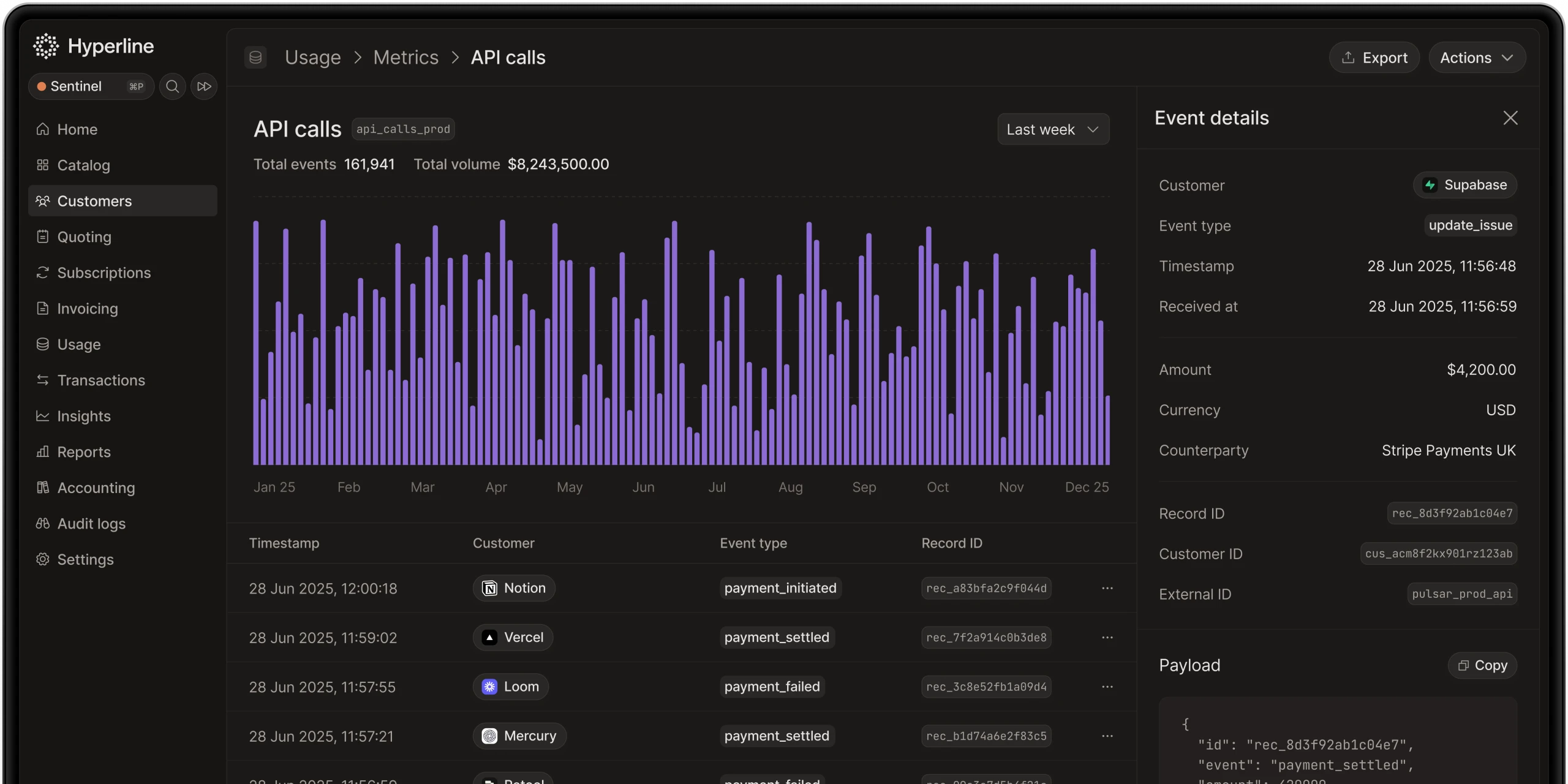
Expansion comes from upsells, cross-sells, additional seats, or increased usage. Since Hyperline supports usage-based billing natively, it can ingest raw usage data from your database and calculate accurate expansion amounts automatically.
Net new MRR
When a brand-new customer starts paying. Example: Beginning MRR = $0, Ending MRR = $400, Net New = $400.
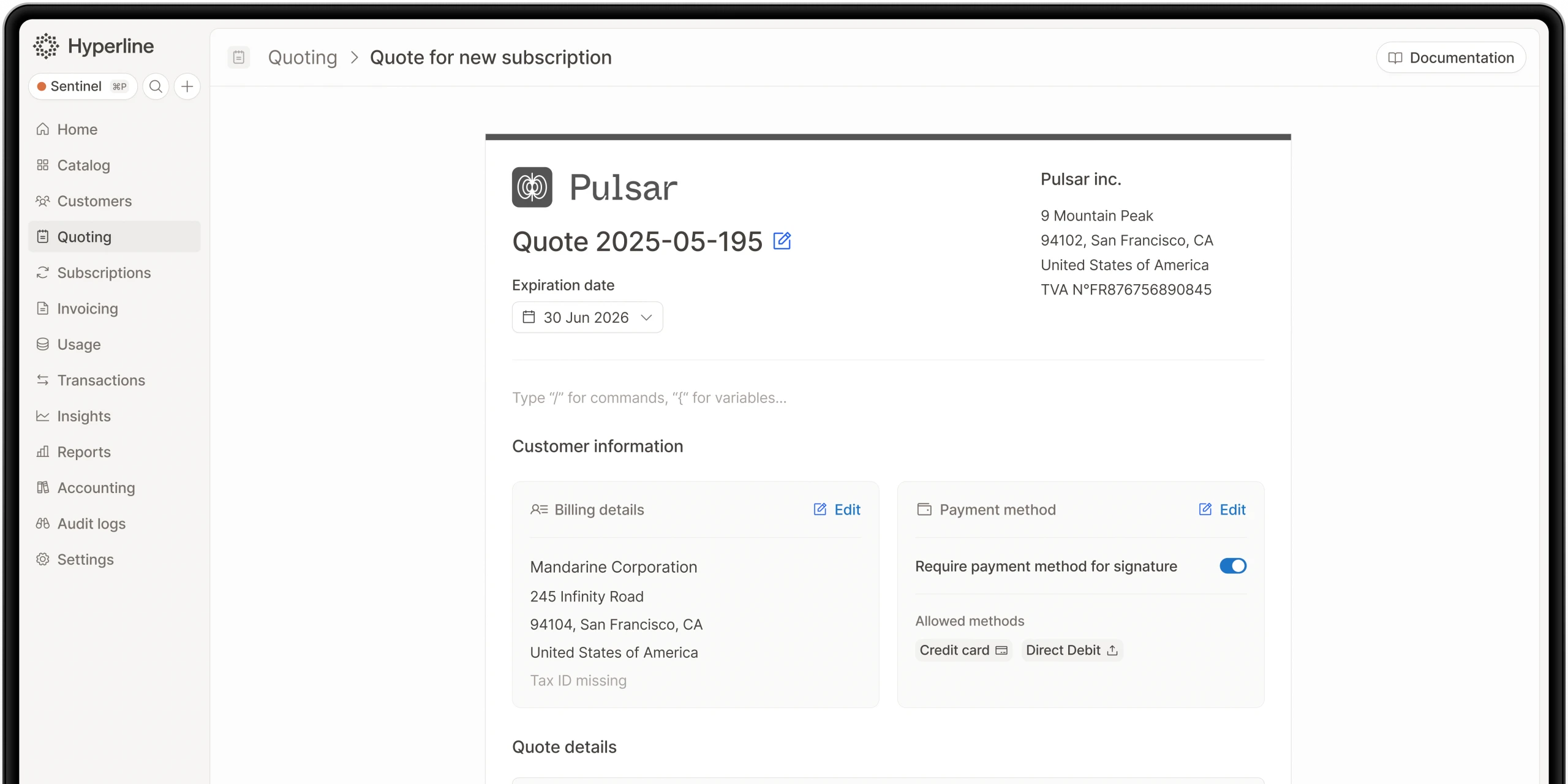
Hyperline's CPQ features let sales teams create quotes directly from HubSpot using the embedded component. When those quotes convert to subscriptions, the platform automatically starts tracking the new recurring revenue and syncs it back to HubSpot.
These definitions can be implemented as HubSpot calculated properties, formula fields, or workflow-based calculations. The key is that once configured, the math runs automatically as Hyperline syncs updated subscription data.
Step 4: Rolling up revenue data for portfolio-level reporting
Individual customer snapshots give you granular visibility, but executives and board members need the big picture. This is where snapshot rollups come in, they aggregate all customer-level data into monthly portfolio metrics.
A rollup is essentially a monthly scorecard. Each rollup record represents one month and links to all customer snapshots from that period. It stores aggregated values:
- Beginning MRR (sum of all companies' MRR at start of month)
- Ending MRR (sum of all companies at end of month)
- Net new, total from new customers
- Expansion, total from all upsells and growth
- Contraction, total from all downgrades
- Churn, total lost revenue
- Adjustments, credits, discounts, or other modifications
Hyperline's automated revenue recognition ensures these numbers comply with accounting standards. The platform manages real-time revenue recognition, letting you track both recognized and deferred revenues accurately. This compliance is critical because investors and auditors scrutinize SaaS metrics closely.
Building rollups in HubSpot
You'll create a custom object for rollups with properties for each metric. HubSpot workflows can populate these properties automatically by summing values from associated snapshot records. Reports and dashboards then chart rollups month-over-month, showing your revenue trendline.
Since Hyperline syncs subscription and invoice data continuously, your rollups stay current. There's no monthly ritual of exporting CSV files, reformatting data, and manually updating dashboards. The integration maintains accuracy automatically.
Step 5: Associating snapshots with rollups for time-series analysis
The final technical step is connecting snapshots (customer-level) with rollups (portfolio-level) so your data tells a coherent month-over-month story.
HubSpot workflows can handle this association automatically. Set up a workflow that links every snapshot to its corresponding rollup based on the revenue month. All February snapshots associate with the February rollup, all March snapshots with the March rollup, and so on.
Backfilling historical data
If you're migrating to this system, you'll need to backfill historical months. Hyperline makes this easier because the platform stores complete billing history. You can extract past subscription states, create snapshot and rollup records for previous months, and build a full year-over-year view.
The Hyperline team provides onboarding support and can assist with data migrations. For enterprise customers, a dedicated onboarding manager handles creating all customers and contracts during setup.
The result: structured retention tracking
With snapshots linked to rollups, you create a time-series database of revenue retention. This structure enables cohort analysis, trend identification, and anomaly detection. You can compare individual customer performance against portfolio averages, spot accounts that need attention, and understand which customer segments drive growth.
Step 6: Validating accuracy between Hyperline and HubSpot
Before trusting your new system for decision-making, validate that the numbers match reality. This prevents bad assumptions and ensures stakeholder confidence.
Core reports to verify
Pull these metrics from both Hyperline and HubSpot and confirm they align:
- Beginning MRR for each month
- Ending MRR for each month
- Expansion totals
- Contraction totals
- Churn totals
- Net new customer revenue
Hyperline connects with accounting software like QuickBooks, Xero, Pennylane, and NetSuite. This lets you reconcile billing data against your books. If Hyperline shows $30k churn and your accounting system shows $28k, investigate the discrepancy.
Common reconciliation issues
Typical mismatches come from:
- Renewal dates not synchronized properly
- Subscriptions not marked as closed in one system
- Timing differences in when revenue is recognized
- Manual adjustments not reflected in both platforms
Hyperline reduces these issues significantly because it automates billing workflows, maintains audit trails, and keeps payment provider data synchronized. The platform orchestrates multiple payment providers (Stripe, GoCardless, Airwallex, Mollie) through a single interface, eliminating the need to juggle multiple systems.
Once Hyperline and HubSpot reconcile, you have a reliable foundation. From there, you can build automated reporting, share dashboards confidently, and make strategic decisions without second-guessing the numbers.
Step 7: Building executive dashboards in HubSpot
With validated data flowing between Hyperline and HubSpot, it's time to create dashboards that make revenue trends immediately visible.
Effective dashboards should include:
- Starting MRR vs. Ending MRR, showing overall movement each month
- Component breakdowns, separate trend lines for new business, expansions, contractions, and churn
- Month-over-month comparisons, making shifts obvious at a glance
- Cohort performance, tracking how different customer segments behave over time
The goal is visualization that reveals what's driving performance. If churn is rising, you need to see it immediately. If expansion is covering downgrades, that should be obvious. If growth appears sustainable or fragile, the dashboard should tell that story.
Hyperline's reporting capabilities complement HubSpot dashboards. The platform provides advanced analytics on revenue by product, billing period, or customer segment. You can use Hyperline for detailed billing analysis while HubSpot serves as the cross-functional dashboard that everyone checks daily.
Step 8: Calculating net revenue retention automatically
Net revenue retention is the ultimate measure of whether existing customers fuel growth. It shows how much recurring revenue you retain and expand after accounting for upgrades, downgrades, and churn, excluding any brand-new customers.
The NRR formula
NRR = (Beginning MRR + Expansion - Contraction - Churn) ÷ Beginning MRR
Example calculation:
- Beginning MRR = $100,000
- Expansion = $20,000
- Contraction = $10,000
- Churn = $5,000
- NRR = (100,000 + 20,000 - 10,000 - 5,000) ÷ 100,000
- NRR = 105,000 ÷ 100,000 = 1.05 or 105%
With Hyperline feeding accurate subscription data into HubSpot, these calculations happen automatically. You're not pulling numbers from multiple systems and hoping they match. The integration ensures that expansion, contraction, and churn figures reflect actual billing changes.
Interpreting and using NRR
- Benchmarking: Anything above 100% means you're growing revenue from existing customers without adding new ones. Best-in-class SaaS companies often target 120%+ NRR. This metric is critical for investors who want to see sustainable growth.
- Trend tracking: Calculate NRR monthly, then aggregate quarterly and annually. Consistency matters more than perfection. Significant swings usually indicate either data accuracy issues or structural problems in pricing, retention, or upsell strategy.
- Segmentation: Break NRR down by customer cohort. Compare SMB versus Enterprise segments, different product lines, or geographic regions. Hyperline's flexibility in handling various pricing models makes this segmentation easier since you can track different revenue types separately.
- Board reporting: NRR is typically the first metric venture capitalists and growth equity funds ask for. It encapsulates retention, upsell effectiveness, and overall account health in one number.
The Hyperline and HubSpot integration makes NRR reporting routine rather than exceptional. You're not scrambling before board meetings to pull numbers from different systems. The data is ready because it's been maintained automatically all month.
Step 9: Adapting the system for different business models
Not every company measures revenue identically. The Hyperline and HubSpot approach works across various models because Hyperline was built to support any pricing structure.
SaaS businesses
Expansions and downgrades are key drivers. Think seat licenses, feature upgrades, or customers dropping to smaller plans. Hyperline handles seat-based billing automatically, tracking license usage and automating subscription updates as your user base grows.
Services businesses
Renewals and retainer sizes matter most. Churn happens when clients end contracts, contraction when they reduce scope or hours. Hyperline's contract management and automated renewal workflows ensure these changes get captured and reflected in revenue metrics.
Hybrid models
Many companies combine subscription revenue with usage-based charges. For example, a base platform fee plus per-transaction or per-user charges. Hyperline is usage-native, meaning the platform can ingest raw usage data from databases through connectors, APIs, or CSV files and calculate the correct invoice amounts automatically.
Complex enterprise contracts
Enterprise deals often include custom pricing, volume discounts, milestone-based billing, and multi-year commitments. Hyperline's CPQ features let you configure these complex arrangements, get manager approvals through automated workflows, and convert approved quotes directly into subscriptions.
The flexibility extends to how the Hyperline and HubSpot integration synchronizes data. You can customize synchronization settings to match your sales workflow, choosing which objects to sync, which direction data flows, and how granular the pushed data should be.
Step 10: Why Hyperline and HubSpot outperform spreadsheets
Many companies start with Excel or Google Sheets for revenue tracking. Here's how the integrated Hyperline and HubSpot approach compares:
Feature : Data accuracy
- Hyperline + HubSpot : Automated sync from billing source
- Spreadsheets : Manual entry, error-prone
Feature : Scalability
- Hyperline + HubSpot : Handles thousands of customers
- Spreadsheets : Breaks at scale
Feature : Automation
- Hyperline + HubSpot : Workflows, auto-calculations, syncing
- Spreadsheets : None, constant manual work
Feature : Reporting
- Hyperline + HubSpot : Live dashboards in HubSpot
- Spreadsheets : Static reports
Feature : Team access
- Hyperline + HubSpot : Shared across Finance, Sales, CS
- Spreadsheets : Limited, version control issues
Feature : Revenue recognition
- Hyperline + HubSpot : Automated ASC 606 / IFRS 15 compliance
- Spreadsheets : Manual spreadsheet tracking
Feature : Billing flexibility
- Hyperline + HubSpot : Supports any pricing model
- Spreadsheets : Requires custom formulas
Feature : Time savings
- Hyperline + HubSpot : Up to 90% reduction in billing admin
- Spreadsheets : High ongoing maintenance
Setting up the Hyperline and HubSpot integration
Getting started with the integration is straightforward. Hyperline offers a native HubSpot connection that you can activate with admin rights on both platforms.
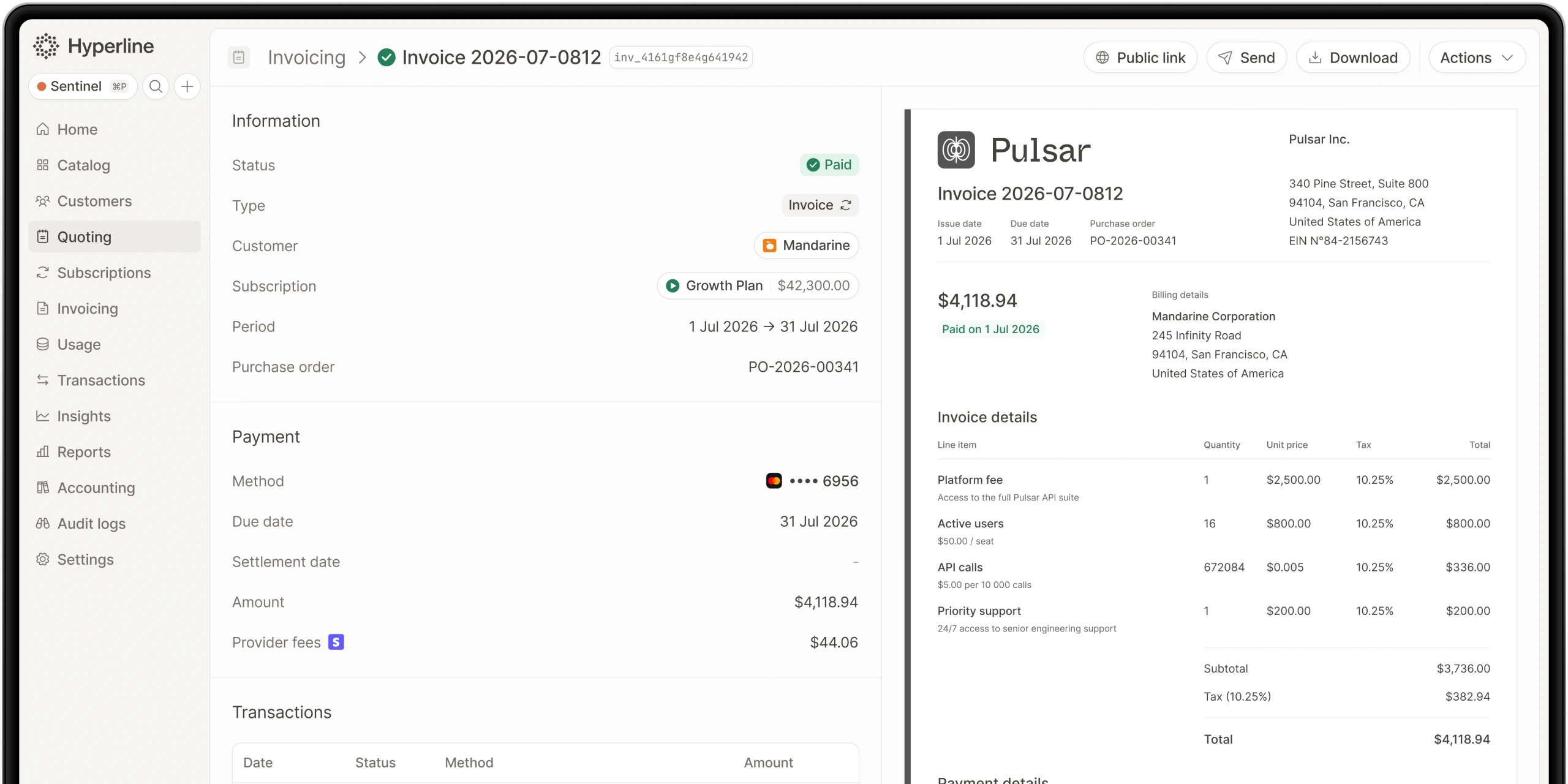
The integration synchronizes your HubSpot companies with Hyperline customers, automatically transferring data without manual effort or technical configuration. It also syncs quotes, subscriptions, and invoices created in Hyperline back to HubSpot as custom objects.
Hyperline provides a component that inserts directly into HubSpot company pages. This embedded interface lets your business teams create and manage quotes, assign and manage subscriptions, handle customer details, and access invoices without leaving HubSpot.
For setup, you'll:
- Connect Hyperline to HubSpot through the integration settings
- Authenticate both accounts
- Configure which companies to sync (you can choose all companies or only specific ones marked with a checkbox)
- Customize synchronization settings, including which objects to sync and what data to push
- Install the HubSpot component on company pages for embedded subscription management
The Hyperline team provides support throughout setup, including live chat, scheduled calls with solution engineers, and assistance with data migrations. Enterprise customers receive dedicated onboarding managers and priority support through Slack channels.
Conclusion
Revenue reporting doesn't have to mean conflicting numbers across departments or hours spent reconciling spreadsheets. By connecting Hyperline's automated billing platform with HubSpot CRM, you create a single source of truth that keeps Finance, Sales, and Customer Success aligned.
Hyperline handles the complexity of modern billing, from usage-based pricing to enterprise contracts, while ensuring compliance with revenue recognition standards. The HubSpot integration then brings this authoritative billing data directly into your CRM, powering real-time dashboards and automated workflows.
The result is a system where MRR, NRR, churn, and expansion metrics update automatically, where everyone sees the same numbers, and where your team can focus on strategic growth rather than manual data management.
Where this fits in Hyperline
Frequently asked questions
LedgerUp is focused on the post-signature handoff: getting from a signed contract to a first invoice quickly. It does not include native CPQ, and its global e-invoicing and revenue recognition depth are limited compared to a full quote-to-cash platform, so teams that scale into hybrid pricing or larger, multi-country contracts typically re-evaluate.
As SaaS companies grow, billing needs become more complex. HubSpot CPQ has limits: no quote-to-invoice automation, little pricing flexibility, basic reporting, manual revenue recognition, and no advanced subscription support.
Yes. Hyperline connects to Stripe, GoCardless, Mollie, Airwallex, and bank transfers. It automates payment matching and reminders.
No. Conga CPQ is built for configuration depth on multi-line, rule-heavy quotes, historically tied closely to Salesforce. Billing and usage metering live outside the product, so it typically functions as the quoting layer in front of a separate billing system rather than a complete quote-to-cash platform on its own.
It depends on pricing complexity. Simple, flat subscription pricing can run acceptably on separate best-of-breed tools connected by integrations. Once pricing includes usage-based or hybrid components, or deal sizes require approval workflows and e-signature, the reconciliation cost of stitched-together tools tends to outweigh the flexibility of picking each piece independently.
Each platform is scored against five consistent criteria: best fit (the buyer situation it actually suits), strongest part of quote-to-cash (where it genuinely leads), evidence reviewed (public pricing pages, product documentation, and G2 category listings), and watch-out (the limitation buyers run into first). Vendor claims that aren't verifiable against a public source are described qualitatively rather than repeated as fact.
No. DealHub is a sales-side CPQ and contract lifecycle management tool, strong at quote building, redlining, and e-signature. Billing, usage metering, and revenue recognition are not native, so teams pair it with a separate billing platform and manage the handoff between the two.
Billing software converts an existing subscription or contract into invoices. Quote-to-cash software covers the full process before and after that: configuring a quote, getting it approved and signed, billing it correctly (including usage-based components), collecting payment, and recognizing revenue. A billing tool can be one part of a quote-to-cash stack; on its own, it isn't the whole thing.