Creating automated billing workflows with Hyperline and HubSpot
Hyperline and HubSpot work together to automate your billing cycles, invoices, and renewals without manual processes or custom object complexity.
The challenge of billing management in HubSpot
HubSpot offers powerful CRM features for managing customer relationships, but billing management presents unique challenges. While HubSpot provides custom objects and workflows to build billing processes, this approach requires significant technical setup, ongoing maintenance, and complex logic to handle real-world billing scenarios.
Creating custom objects for invoices, setting up workflow triggers, configuring if/then logic for overdue reminders, and maintaining these systems as your business grows demands substantial time and expertise. For many businesses, the manual effort required to build and manage these workflows defeats the purpose of automation.
Hyperline solves this problem by connecting your billing operations directly to HubSpot through a native integration. Instead of building billing infrastructure inside your CRM, you get a purpose-built billing platform that syncs seamlessly with HubSpot, giving your teams the automation they need without the complexity.
How Hyperline integrates with HubSpot for billing automation
Hyperline is a modern revenue management platform designed specifically for B2B SaaS businesses. The platform handles everything from quote creation to payment collection, and its native HubSpot integration ensures your CRM always reflects current billing status.
The integration works through automatic synchronization of key objects:
- Companies: HubSpot companies sync with Hyperline customers, enabling effortless data transfer without manual effort or technical configuration
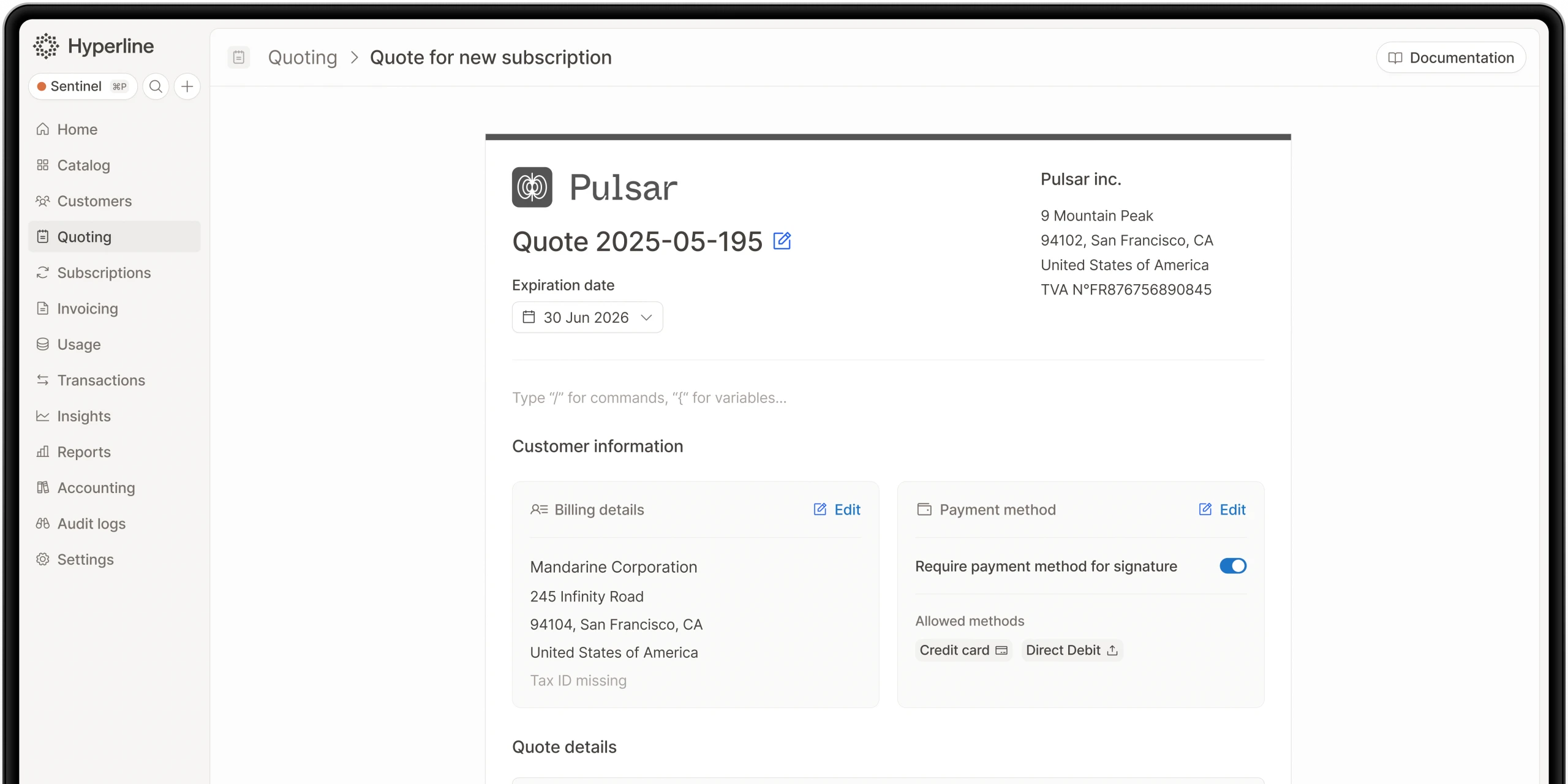
- Quotes: Sales teams can create and manage quotes directly from HubSpot using an embedded Hyperline component
- Subscriptions: Active subscriptions appear in HubSpot, giving customer success teams visibility into billing status
- Invoices: Generated invoices sync automatically, providing finance teams with complete billing records
Hyperline provides a dedicated component that inserts directly into HubSpot company pages. This embedded interface allows your business teams to manage the entire billing lifecycle without leaving the CRM they use daily.
Automating invoice generation and delivery
Traditional HubSpot billing workflows require custom objects to represent invoices, workflow triggers to generate them, and email actions to deliver them. This approach demands ongoing maintenance as your invoice templates, billing logic, or payment terms change.
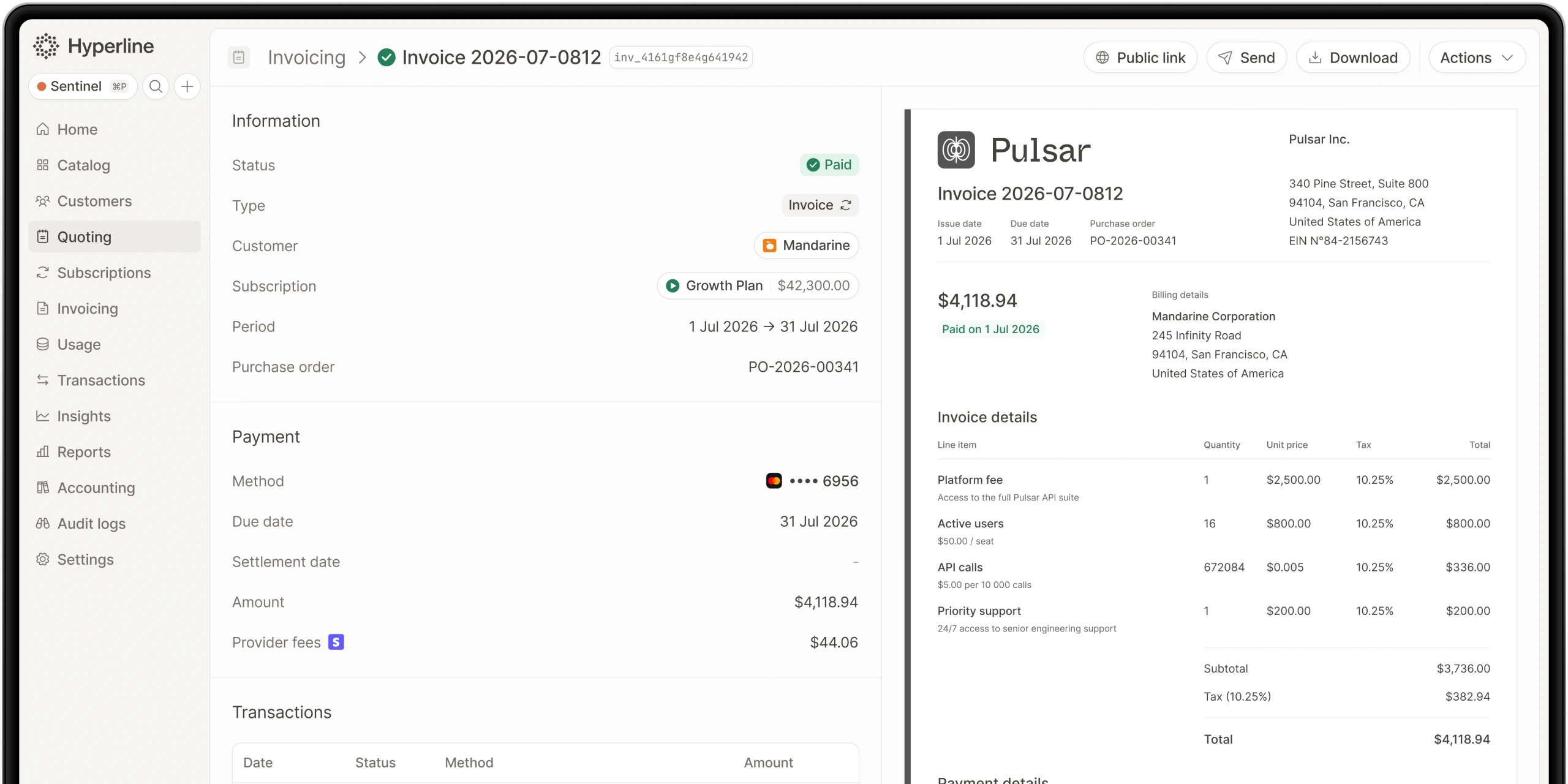
Hyperline automates invoice generation based on your configured billing rules. The platform supports any pricing model, whether you bill with flat fees, per-seat pricing, usage-based charges, tiered structures, or complex enterprise contracts.
How invoice automation works
When a billing cycle completes, Hyperline automatically:
- Calculates the amount owed based on subscription details, usage data, add-ons, and any applicable discounts
- Generates a professional invoice using customizable templates with your branding
- Delivers the invoice to customers via email
- Syncs the invoice record to HubSpot for visibility across teams
- Monitors payment status and updates both systems when payment is received
This automation eliminates the manual steps of creating invoices, checking amounts for accuracy, sending them to customers, and updating records across multiple systems.
Multi-currency and tax handling
For businesses operating globally, Hyperline supports multiple currencies and integrates with tax engines like Anrok to calculate correct tax amounts automatically. This complexity would require extensive custom logic in HubSpot workflows but comes standard in Hyperline.
Automating payment collection and reconciliation
Hyperline doesn't just generate invoices, it orchestrates the entire payment process. The platform connects with leading payment providers like Stripe, GoCardless, Airwallex, and Mollie through a single interface.
Instead of managing multiple payment processor dashboards, your team interacts with Hyperline, which handles:
- Payment attempts: Automatically charging payment methods on file when invoices are due
- Smart retries: Re-attempting failed payments with intelligent timing to maximize success rates
- Payment reconciliation: Matching received payments to invoices automatically
- Bank transfers: Managing offline payment workflows with tracking and reconciliation
When payments succeed or fail, Hyperline updates HubSpot automatically. Your sales and customer success teams see current payment status without checking separate billing systems.
Real-time alerts and monitoring
Hyperline includes real-time alerts that notify relevant team members when important events occur, such as failed payments, successful collections, or payment method expirations. These alerts can flow into HubSpot or connect to Slack for immediate visibility.
Automating overdue reminders and dunning workflows
One common use case for HubSpot billing workflows is sending overdue payment reminders. Building this in HubSpot requires custom objects tracking payment status, workflows checking due dates, and email sequences with appropriate messaging.
Hyperline handles dunning workflows automatically. The platform manages the entire sequence of reminders for unpaid invoices, including:
- Initial payment failure notifications
- Escalating reminder sequences at configured intervals
- Customer communication with payment links for easy resolution
- Account status updates based on payment delinquency
These dunning workflows run automatically in the background. When customers resolve overdue payments, Hyperline updates their status and syncs this information to HubSpot, ensuring your CRM reflects current account health.
Customizable dunning strategies
Different customer segments may require different approaches to payment collection. Hyperline allows you to configure dunning strategies that match your business needs, from gentle reminders for enterprise customers to more aggressive sequences for self-service accounts.
Automating contract renewals and subscription management
Renewal management is another common billing workflow need. In HubSpot, this typically requires tracking renewal dates, triggering workflows at specific intervals before renewal, and managing the renewal process through deals or custom objects.
Hyperline automates subscription renewals based on contract terms. The platform tracks renewal dates, handles automatic renewals for customers with payment methods on file, and manages renewal workflows for customers requiring quotes or approvals.
How renewal automation works
For recurring subscriptions, Hyperline:
- Monitors upcoming renewal dates across your customer base
- Sends renewal notifications to customers at configured intervals
- Automatically renews subscriptions and generates invoices for customers set up for auto-renewal
- Creates renewal quotes for customers requiring approval or renegotiation
- Manages the transition from expiring to renewed subscriptions seamlessly
- Syncs renewal status to HubSpot so customer success teams have visibility
This automation ensures renewals happen on time without manual intervention, reducing churn from forgotten renewals and eliminating the administrative burden of tracking and processing renewals manually.
Quote-to-subscription conversion
When renewals require new quotes, perhaps due to pricing changes or expanded services, Hyperline's CPQ features let your team create professional quotes directly from HubSpot. These quotes can include approval workflows, e-signature collection, and automatic conversion to active subscriptions once signed.
Automating usage-based billing workflows
Usage-based billing presents unique challenges that standard HubSpot workflows can't address effectively. Calculating charges based on consumption, metering usage accurately, and handling complex pricing tiers requires specialized infrastructure.
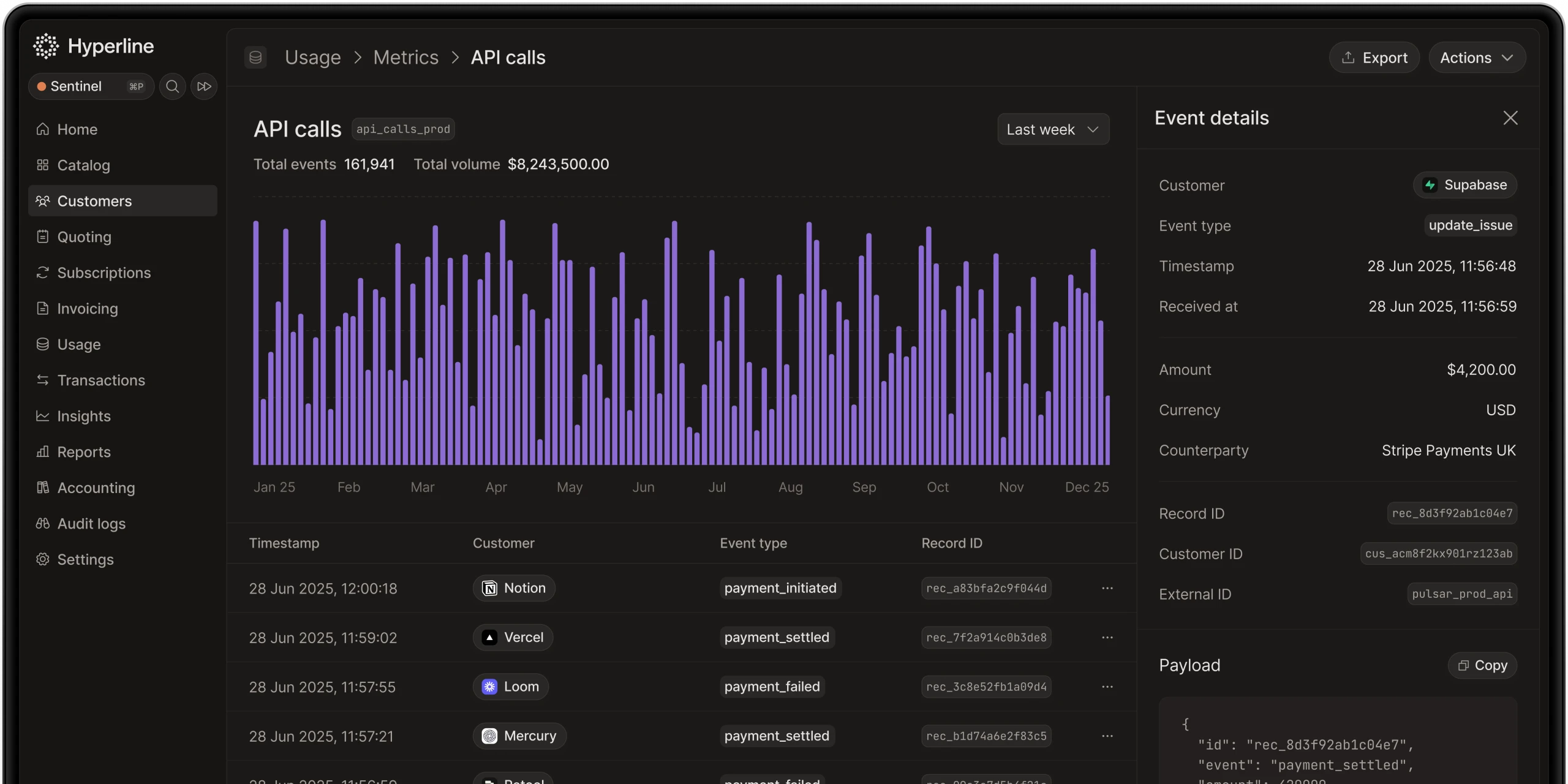
Hyperline is usage-native, meaning the platform was built specifically to handle consumption-based billing. It can ingest raw usage data from your databases through automatic connectors supporting PostgreSQL, MongoDB, BigQuery, Snowflake, and other data sources.
Usage billing process
The platform automates usage billing by:
- Pulling usage data from your database or receiving it via API
- Applying your configured pricing rules, whether tiered, volume-based, pay-as-you-go, or hybrid models
- Calculating accurate charges based on actual consumption
- Generating invoices that combine flat subscription fees with variable usage charges
- Syncing usage and billing data to HubSpot for transparency
This capability is essential for modern SaaS businesses that monetize based on transactions, API calls, storage, compute resources, or any other measurable consumption metric.
Automating revenue recognition and financial reporting
While HubSpot excels at sales and customer relationship management, it wasn't designed for financial compliance. Revenue recognition, particularly for subscription businesses, requires adherence to accounting standards like ASC 606 and IFRS 15.
Hyperline automates revenue recognition according to these standards. The platform manages real-time recognition, tracking both recognized and deferred revenues as subscriptions and invoices are processed.
Benefits for finance teams
Finance teams gain:
- Compliance: Automatic application of revenue recognition rules for each product and service
- Real-time visibility: Current view of recognized versus deferred revenue
- Faster closes: Automated calculations that eliminate manual spreadsheet tracking
- Audit trails: Complete documentation of revenue recognition decisions
This financial data syncs with accounting software like QuickBooks, Xero, Pennylane, and NetSuite, creating a seamless flow from billing through financial reporting.
Integrating Hyperline with HubSpot: setup and configuration
Setting up the Hyperline and HubSpot integration is straightforward and doesn't require technical expertise or developer resources.
Initial setup steps
- Create accounts: Ensure you have admin rights in both Hyperline and HubSpot
- Connect the integration: Navigate to Hyperline's integration settings and authenticate your HubSpot account
- Configure synchronization: Choose which companies to sync (all companies or only those marked with a specific checkbox)
- Customize data flow: Select which objects to synchronize and configure synchronization direction
- Install the HubSpot component: Add Hyperline's embedded interface to HubSpot company pages
The integration creates custom objects in HubSpot for quotes, subscriptions, and invoices automatically during setup. These objects are configured with the appropriate fields and relationships to work seamlessly with HubSpot's native features.
Ongoing management
Once configured, the integration maintains synchronization automatically. Changes in either system propagate to the other, ensuring consistency without manual updates.
Hyperline provides comprehensive support during setup and beyond:
- Live chat: Immediate assistance with setup questions
- Solution engineers: Scheduled calls for complex configuration needs
- Data migration: Help transferring existing billing data into Hyperline
- Onboarding managers: Dedicated support for enterprise customers
- Slack channels: Priority support for ongoing questions
Why Hyperline outperforms custom HubSpot billing workflows
While HubSpot's custom objects and workflows provide flexibility, building billing infrastructure inside your CRM has significant limitations compared to using a purpose-built billing platform.
Real customer impact
Businesses using Hyperline report significant operational improvements. One customer noted, "Switching to Hyperline had a bigger impact than expected, we finally have control over billing from a finance perspective." Another shared, "We used to have a weekly billing review with my finance team, but Hyperline made it totally useless," meaning the automation eliminated the need for manual review meetings.
The platform has grown its client base by 20 times over 18 months, serving over 150 businesses including Lokki, Malou, ScorePlay, Formance, Infinit, Veesion, Qobra, and Ocus. The majority of Hyperline customers generate between €3 and €10 million in revenue, though the platform is built to scale to companies handling $100 million in ARR.
Beyond basic workflows: advanced automation capabilities
Hyperline extends far beyond the basic billing workflows you might build in HubSpot. The platform provides advanced capabilities that would be impractical to replicate with CRM workflows.
CPQ (Configure-Price-Quote)
Create complex quotes with custom pricing, approval workflows, and e-signature collection. Sales teams work directly in HubSpot while Hyperline handles the quoting logic, ensuring accuracy and consistency.
Subscription modifications
Handle mid-cycle upgrades, downgrades, seat adjustments, and add-ons automatically. Hyperline calculates prorated amounts, generates credits or additional invoices as needed, and keeps subscriptions synchronized.
Contract management
Track contract terms, negotiated pricing, custom SLAs, and renewal conditions. The platform manages the relationship between contracts and active subscriptions, ensuring billing always matches agreed terms.
Analytics and reporting
Access detailed reporting on revenue by product, billing period, customer segment, or any other dimension. These insights help optimize pricing, identify expansion opportunities, and forecast revenue accurately.
API and extensibility
For businesses with unique requirements, Hyperline offers a comprehensive API that integrates with custom applications, data warehouses, and business intelligence tools. This extensibility ensures the platform adapts to your specific needs.
Making billing management seamless across teams
The true value of integrating Hyperline with HubSpot isn't just automation, it's alignment across teams. When Finance, Sales, and Customer Success all work from the same data, collaboration becomes effortless.
For sales teams
- Create quotes directly from HubSpot without switching tools
- See customer billing history and subscription status during sales calls
- Identify expansion opportunities based on usage patterns
- Close deals faster with automated quote-to-subscription conversion
For customer success teams
- View subscription details and billing status in customer records
- Identify at-risk accounts based on payment issues or usage decline
- Manage renewals proactively with visibility into upcoming dates
- Resolve billing questions without involving finance
For finance teams
- Trust that invoices are accurate and compliant with accounting standards
- Close books faster with automated revenue recognition
- Reconcile payments automatically across multiple payment providers
- Access real-time reports without waiting for data exports
This cross-functional alignment reduces the friction that typically exists between departments when billing data lives in separate systems.
Getting started with Hyperline
Implementing Hyperline is faster than building custom billing workflows in HubSpot. The platform was designed for quick deployment, with most businesses going live within days rather than weeks or months.
Implementation approach
Hyperline's onboarding process includes:
- Discovery: Understanding your current billing processes and requirements
- Configuration: Setting up products, pricing, and billing rules in Hyperline
- Integration: Connecting HubSpot, payment providers, and accounting software
- Migration: Transferring existing customer and subscription data
- Testing: Validating that billing processes work correctly before going live
- Training: Ensuring your team knows how to use the platform effectively
- Launch: Going live with automated billing workflows
The platform is built for finance and operations teams, not just developers. The interface is intuitive, templates are customizable without code, and common workflows are pre-configured to match standard billing practices.
Continuous improvement
Hyperline continues evolving based on customer feedback and changing market needs. Recent funding of $10 million from Index Ventures in January 2025 demonstrates investor confidence in the platform's approach and trajectory.
As your business grows and your billing needs become more complex, Hyperline scales with you. The platform supports businesses from early-stage startups through companies generating significant revenue, adapting to increased transaction volumes, new pricing models, and expanding payment requirements.
Conclusion: from manual workflows to automated billing operations
Building billing workflows in HubSpot using custom objects and manual logic creates technical debt that compounds as your business grows. What starts as a few simple workflows for invoicing becomes a maze of triggers, actions, and conditional logic that requires constant maintenance.
Hyperline offers a better approach: purpose-built billing automation that integrates seamlessly with HubSpot. The platform handles the complexity of modern billing, from usage metering to revenue recognition, while keeping your CRM updated with current data.
The result is a billing operation that runs automatically, scales effortlessly, and aligns teams around accurate, real-time information. Your team spends less time on manual billing administration and more time on strategic initiatives that drive growth.
For businesses serious about scaling their billing operations without scaling their administrative burden, integrating Hyperline with HubSpot provides the automation, accuracy, and flexibility that custom CRM workflows can't match.
he platform is designed to meet financial reporting requirements for SaaS businesses.
Where this fits in Hyperline
Frequently asked questions
It depends on pricing complexity. Simple, flat subscription pricing can run acceptably on separate best-of-breed tools connected by integrations. Once pricing includes usage-based or hybrid components, or deal sizes require approval workflows and e-signature, the reconciliation cost of stitched-together tools tends to outweigh the flexibility of picking each piece independently.
Usually not on its own. Oracle CPQ brings enterprise-grade catalog and pricing-rule capabilities for organizations operating at significant scale, but implementation timelines and total cost of ownership are heavy for a mid-market SaaS company evaluating it from scratch, unless the business is already committed to the Oracle CX or ERP ecosystem.
As SaaS companies grow, billing needs become more complex. HubSpot CPQ has limits: no quote-to-invoice automation, little pricing flexibility, basic reporting, manual revenue recognition, and no advanced subscription support.
LedgerUp is focused on the post-signature handoff: getting from a signed contract to a first invoice quickly. It does not include native CPQ, and its global e-invoicing and revenue recognition depth are limited compared to a full quote-to-cash platform, so teams that scale into hybrid pricing or larger, multi-country contracts typically re-evaluate.
Yes. Hyperline connects to Stripe, GoCardless, Mollie, Airwallex, and bank transfers. It automates payment matching and reminders.
No. DealHub is a sales-side CPQ and contract lifecycle management tool, strong at quote building, redlining, and e-signature. Billing, usage metering, and revenue recognition are not native, so teams pair it with a separate billing platform and manage the handoff between the two.
Hyperline is a modern monetization and billing platform, covering everything from contracts to payment collection. Our solution is designed for software companies worldwide with recurring business models facing pricing and billing challenges such as usage metering, pricing iterations, and limited integrations. Whether you're implementing your first billing system or scaling a late-stage operation, we can assist you.
It varies widely by platform and by how much configuration a business needs. Enterprise-grade, highly configurable platforms like Zuora, Oracle CPQ, or Salesforce Revenue Cloud commonly run several months. Platforms built around a narrower, more opinionated setup, including Hyperline's roughly two-month target, tend to move faster because there's less to configure from scratch.